
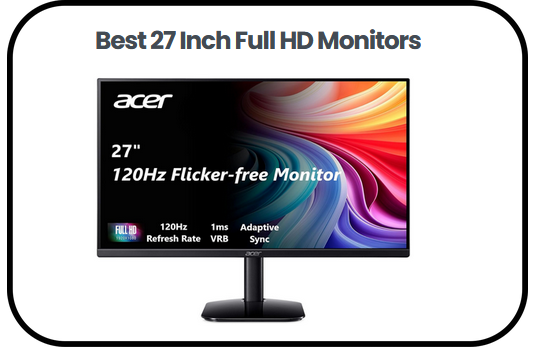
When I upgraded to one of the best 27 Inch Full HD Monitors, I finally understood what I had been missing every single day sitting in front of a smaller, duller screen. There is something almost unfair about how much a great monitor changes everything, the way colors pop with unexpected richness, the way scrolling feels effortlessly smooth and the way your workspace suddenly feels more professional, more capable and honestly more enjoyable to sit at for hours.
Most people obsess over upgrading their computers, their keyboards and their chairs, yet completely overlook the one thing their eyes are locked onto every single second they are working, studying or gaming. That one thing is your monitor and getting it right matters far more than most people give it credit for.
In this review, I have done the hard work for you by testing and evaluating the top options available today, covering everything from must-know features and panel technologies to a detailed buying guide and answers to the questions most people forget to ask before spending their money.
See Summary of the Best 27 Inch Full HD Monitors:
- Philips 271V8LB 27″ Frameless Full HD Monitor — Best Overall
- LG 27U411A-B 27-inch Full HD Monitor — Best for Color Accuracy
- Dell SE2725HM 27-inch Full HD Monitor — Best for Office Use
- HP Series 3 27 inch FHD Monitor — Best for Students
- ASUS VA279HG 27″ Eye Care Monitor — Best for Eye Comfort
- Sceptre E275W 27 Inch FHD Monitor — Best Budget Option
- Packard Bell airFrame 27 FHD Monitor — Best for Casual Gaming and Study
- AOC 27B35H3 27 Inch Casual Gaming Monitor — Best for Everyday Gaming
- KTC 27 Inch Gaming Monitor — Best Premium Gaming Option
- Acer KB272 27 Inch Full HD Monitor — Best for Work and Gaming Balance
Best 27 Inch Full HD Monitors
1. Philips 271V8LB 27″ Frameless Full HD Monitor
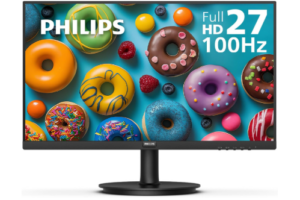
The Philips 271V8LB 27″ Frameless Full HD Monitor fits well among the best 27 Inch Full HD Monitors for users who want a simple and practical display. It offers a 27-inch screen that works well for both work and entertainment, while keeping the design clean and modern. As a result, it suits home and office setups where space and clarity both matter.
The monitor delivers Full HD 1920 x 1080 resolution, which provides clear visuals for videos, browsing, and everyday tasks. In addition, the VA panel improves contrast by producing deeper blacks and brighter whites. This helps images look more detailed and natural. The 178 degree wide viewing angles also ensure consistent color, even when you are not sitting directly in front of the screen.
Furthermore, the frameless design on three sides makes the screen feel larger. It also helps reduce distractions, especially when using multiple monitors side by side. As a result, productivity improves because you can focus more easily on your work.
The monitor also supports a 100Hz refresh rate, which makes motion smoother during scrolling and video playback. In addition, Adaptive Sync reduces screen tearing, so fast content looks more stable. This makes switching between work and light entertainment feel seamless.
For long use, Philips includes features that improve comfort. EasyRead mode makes documents easier to view for long periods. In addition, LowBlue Mode and flicker-free technology help reduce eye strain. As a result, it is more comfortable to use throughout the day.
Pros
- 178 degree viewing angles keep colors stable from the side
- 100Hz refresh rate improves smoothness in scrolling and motion
- Frameless design supports clean dual monitor setups
- EasyRead mode helps when reading long documents
- Adaptive Sync reduces screen tearing in videos and light gaming
Cons
- Not ideal for color-critical professional work
2. LG 27U411A-B 27-inch Full HD Monitor
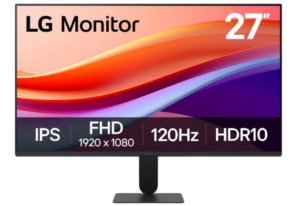
The LG 27U411A-B 27-inch Full HD Monitor is designed for users who want a balance of performance, color quality, and simple design. It works well for both office and home use. In addition, the 27-inch size gives you more space to work, which helps improve multitasking.
The IPS panel delivers Full HD 1920 x 1080 resolution with vibrant and accurate colors. As a result, images remain clear and consistent even when viewed from different angles. The 178 degree wide viewing angles also make it easier to share your screen or move around your workspace.
Color quality is enhanced with HDR10 support and up to 99% sRGB coverage. Therefore, visuals appear richer and more detailed. This makes the monitor suitable for everyday productivity, video viewing, and light creative tasks.
When it comes to performance, the 120Hz refresh rate provides smoother motion. In addition, it reduces blur during scrolling and video playback. The 1ms Motion Blur Reduction helps keep fast scenes clearer, which is useful for casual gaming.
The design is slim with thin bezels on three sides. As a result, the display feels more immersive and works well for dual monitor setups. The stand also allows tilt adjustment, helping you find a comfortable viewing position.
It also includes useful software features. The Switch app allows screen splitting for multitasking. In addition, Dynamic Action Sync reduces input lag, while Black Stabilizer improves visibility in darker scenes. Therefore, both work and entertainment feel more responsive.
Pros
- IPS panel keeps colors accurate from wide angles
- 120Hz refresh rate makes scrolling and navigation smoother
- HDR10 improves color depth for media use
- 1ms motion blur reduction improves clarity in fast scenes
- Thin bezels suit dual monitor setups
- Switch app helps with multitasking layouts
Cons
- Limited ergonomic adjustments beyond tilt
3. Dell SE2725HM 27-inch Full HD Monitor
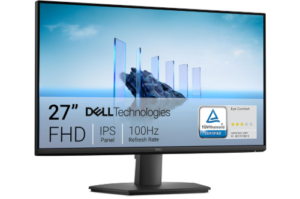
The Dell 27 Monitor SE2725HM is a practical monitor designed for everyday productivity. It works well in both home and office environments. In addition, the 27-inch screen gives you more space, which helps when working with multiple applications at once.
The Full HD 1920 x 1080 IPS display delivers clear and consistent visuals. As a result, text and images remain sharp during daily tasks like browsing, document editing, and video calls. The 178 degree viewing angles also ensure stable color even when viewed from the side.
Smooth performance is supported by a 100Hz refresh rate. Therefore, scrolling feels more fluid and motion looks more natural. It also reduces flicker, which helps improve comfort during long working hours. ComfortView Plus is always active, reducing blue light without affecting color accuracy. As a result, it helps reduce eye strain over time.
The design is simple and functional. In addition, the thin bezels give it a modern look while helping reduce distractions. The compact stand includes a built-in power supply and cable holder, which helps keep your workspace tidy.
Flexibility is also a strong point. You can tilt the monitor for better viewing comfort, or mount it using a VESA-compatible setup. It also supports HDMI and VGA connections, making it easy to use with both modern and older devices.
Dell also focuses on sustainability. The monitor uses recycled materials and comes in recyclable packaging. Therefore, it reduces environmental impact while still delivering reliable performance.
Pros
- 100Hz refresh rate improves smooth scrolling
- IPS panel keeps colors stable from all angles
- ComfortView Plus reduces blue light for eye comfort
- HDMI, DisplayPort and VGA support many devices
- Compact design helps reduce desk clutter
Cons
- Full HD resolution may look less sharp at 27 inches
4. HP Series 3 27 inch FHD Monitor
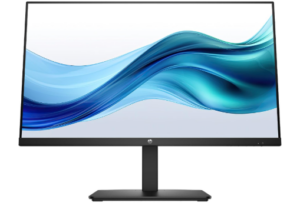
The HP Series 3 27 inch FHD Monitor is a practical 27 inch display made for everyday work, study, and general home use. It focuses on comfort and smooth performance, making it suitable for users who want a simple and reliable monitor for daily tasks.
The Full HD 1920 x 1080 resolution provides clear visuals for documents, browsing, and video calls. In addition, the 1300 to 1 contrast ratio improves image depth, helping text and images look more defined. The IPS panel keeps colors stable from wide angles, which is useful when viewing from different positions.
The 100Hz refresh rate makes scrolling and window switching feel smoother. As a result, daily use feels more responsive compared to standard 60Hz monitors. This helps reduce visual strain during long working sessions.
Connectivity is straightforward with HDMI, DisplayPort 1.2, and VGA ports. In addition, the built in dual 2W speakers handle basic audio for calls and videos, which keeps the setup simple.
The design includes a 3 sided micro edge bezel that gives a clean look and supports dual monitor setups. The stand allows tilt adjustment for basic positioning comfort. HP Eye Ease reduces blue light while keeping colors natural, which helps during long hours of use.
The HP Series 3 27 inch FHD Monitor stands out among the best 27 Inch Full HD Monitors because it delivers smooth performance, simple connectivity, and eye comfort features in a clean everyday design.
Pros
- 100Hz refresh rate makes scrolling and multitasking feel smooth
- IPS panel keeps colors consistent from different viewing angles
- HDMI, DisplayPort and VGA support wide device compatibility
- Micro edge design works well for dual monitor setups
- HP Eye Ease reduces eye strain during long use
Cons
- Built in speakers are only suitable for basic use
5. ASUS VA279HG 27″ Eye Care Monitor
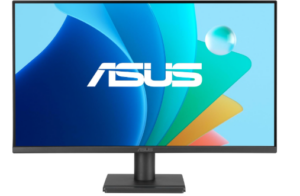
The ASUS VA279HG 27 Inch Eye Care Monitor is a 27 inch Full HD display built for users who want smooth performance, comfortable viewing, and a simple setup for everyday use. It works well for work, casual gaming, and general home use. The frameless design also gives it a modern look that fits easily into most desk setups.
The monitor uses a Full HD 1920 x 1080 IPS panel, which delivers clear and consistent visuals across wide 178 degree viewing angles. As a result, colors remain accurate even when you are not sitting directly in front of the screen. This makes it useful for shared viewing or flexible desk positions where you may not always face the display head on.
Performance is smooth thanks to the 120Hz refresh rate combined with 1ms MPRT response time. This helps reduce motion blur and screen tearing, especially during fast moving scenes. In addition, Adaptive Sync support improves frame stability, which makes scrolling, gaming, and video playback feel more fluid and responsive.
The ASUS VA279HG is part of the best 27 Inch Full HD Monitors category because it balances smooth motion, eye comfort, and practical usability. It includes TÜV Rheinland certified Flicker Free and Low Blue Light technologies, which help reduce eye strain during long hours of use. This makes it suitable for users who spend extended time working or studying on screen.
Connectivity is simple and flexible. It includes HDMI, VGA, and an earphone jack, which allows easy connection to modern and older devices. In addition, the DisplayWidget Center software makes it easier to adjust display settings quickly without using physical buttons. The monitor is also VESA mount compatible, which helps save desk space and allows more flexible positioning.
Pros
- 120Hz refresh rate makes motion smooth and reduces screen stutter
- IPS panel provides consistent colors from wide viewing angles
- 1ms MPRT improves clarity in fast moving scenes
- Eye Care features reduce flicker and blue light for longer use
- HDMI and VGA ports support both new and older devices
- VESA mount option helps save desk space
Cons
- Stand has limited ergonomic adjustment options
6. Sceptre E275W 27 Inch FHD Monitor
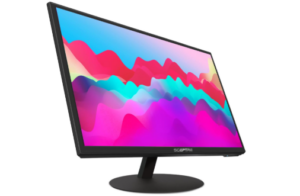
The Sceptre E275W-1920 27 Inch FHD Monitor is a budget friendly 27 inch display made for simple home and office use. It focuses on essential performance for browsing, documents, and media viewing without unnecessary complexity.
The Full HD 1920 x 1080 resolution delivers clear visuals for everyday tasks. In addition, the high contrast ratio of 5,000,000 to 1 improves image depth by making dark scenes richer and highlights more defined. This helps videos and images appear more balanced during normal use.
The 75Hz refresh rate provides a small but noticeable improvement in motion smoothness compared to standard 60Hz monitors. As a result, scrolling feels steadier and video playback looks more fluid. The 5ms response time also helps reduce visible blur during fast scenes.
This model fits well when looking through different best 27 Inch Full HD Monitors options for users who want a low cost display that still covers basic performance needs. It includes HDMI, VGA, and DVI ports, which makes it compatible with both newer and older systems. In addition, the built in dual speakers offer simple audio for calls, videos, and general use.
The monitor is also VESA mount ready, which allows wall or arm mounting to free up desk space. This gives more flexibility in setup and improves comfort in smaller work areas.
Pros
- High contrast ratio improves image depth and detail
- 75Hz refresh rate improves smoothness over standard displays
- Multiple ports support both old and new devices
- Built in speakers provide basic audio support
- VESA mounting helps save desk space
Cons
- Full HD resolution is less sharp on a 27 inch screen
7. Packard Bell airFrame 27 FHD Monitor
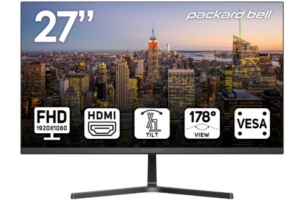
The best 27 Inch Full HD Monitors category includes practical 27 inch displays like the Packard Bell airFrame 27 FHD Monitor, which is designed for users who want a balance of everyday performance and light gaming capability. It fits well in home, office, and student setups thanks to its simple design and flexible usage.
The monitor offers Full HD 1920 x 1080 resolution, delivering clear and sharp visuals for browsing, studying, and entertainment. In addition, the 75Hz refresh rate improves motion smoothness compared to standard 60Hz displays. The 5ms response time helps reduce blur in fast moving scenes, making it suitable for casual gaming and video playback.
The 178 degree wide viewing angle ensures consistent image quality even when viewed from the side. As a result, it works well for shared viewing or group use. It also supports PC, Xbox, and PS5, which makes it flexible for different entertainment setups.
The design includes a thin bezel that improves focus and reduces distractions. In addition, the stand supports tilt adjustment from 5 degrees forward to 15 degrees backward, allowing users to find a comfortable viewing position. It is also VESA mount compatible, which helps save desk space and improves setup flexibility.
Pros
- 75Hz refresh rate improves smoothness over standard displays
- 5ms response time reduces motion blur in fast scenes
- Wide 178 degree viewing angles keep images consistent
- Adjustable tilt stand improves viewing comfort
- Works with PC, Xbox, and PS5
Cons
- No advanced color tuning for professional creative work
8. AOC 27B35H3 27 Inch Casual Gaming Monitor
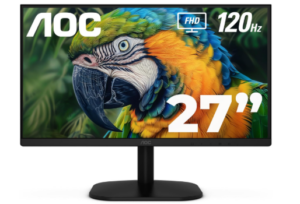
The AOC 27B35H3 27 Inch Casual Gaming Monitor is built for users who want smooth performance, solid color quality, and everyday usability in one display. It works well for work, entertainment, and light gaming without unnecessary complexity.
The Full HD 1920 x 1080 IPS panel delivers clear visuals for daily tasks. In addition, the 27 inch screen size provides enough space for multitasking, making it practical for documents, browsing, and streaming. Wide viewing angles help maintain consistent image quality even when viewed from different positions.
Performance is smooth thanks to the 120Hz refresh rate, which improves motion clarity during scrolling and gaming. In addition, Adaptive Sync reduces screen tearing while the 1ms response time keeps fast scenes sharp and responsive. This makes the display suitable for casual gaming and general multimedia use.
Color output is strong, with 100.1% sRGB coverage and HDR ready support. As a result, visuals appear more vibrant with better contrast between light and dark areas. This improves both entertainment and everyday viewing experiences.
Comfort features include tilt adjustment, VESA mount support, and an earphone jack for private listening. In addition, Flicker Free technology helps reduce eye strain during long sessions, while eco mode improves energy efficiency.
When considering smooth performance, solid color output, and everyday usability in one package, it clearly earns its place among the best 27 Inch Full HD Monitors.
Pros
- 120Hz refresh rate delivers smooth motion for gaming and scrolling
- IPS panel ensures wide viewing angles with stable colors
- Strong sRGB coverage produces vivid and accurate visuals
- Adaptive Sync reduces screen tearing for smoother gameplay
- VESA mount and tilt support improve setup flexibility
Cons
- HDR performance is basic compared to higher tier displays
9. KTC 27 Inch Gaming Monitor
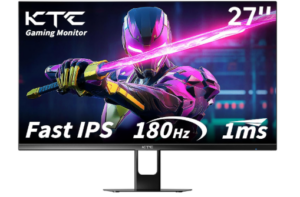
The KTC 27 Inch Gaming Monitor is built for users who want fast performance, strong color output, and smooth gameplay in a 27 inch Full HD display. It suits both gaming and everyday use, offering a balance between speed and visual quality without unnecessary complexity.
The monitor features a Full HD 1920 x 1080 Fast IPS panel that produces clear and vivid visuals. In addition, the 27 inch size provides enough screen space for gaming, multitasking, and media viewing. The Fast IPS technology helps maintain accurate colors even at wide viewing angles, which improves consistency during shared viewing or flexible seating positions.
Performance is a major focus, with a 180Hz refresh rate and 1ms MPRT response time. As a result, motion feels extremely smooth, especially during fast paced gaming where quick reactions matter. Adaptive Sync also reduces screen tearing and stuttering, which helps maintain stable and fluid gameplay.
Color quality is enhanced with 108 percent sRGB coverage, 300cd per square meter brightness, and HDR support. This combination produces rich and detailed visuals with strong contrast between light and dark areas. It helps games, movies, and general content appear more immersive and lifelike.
Connectivity is flexible with HDMI 2.1, DisplayPort 1.4, and an earphone jack. In addition, the monitor supports a 178 degree viewing angle, tilt adjustment from minus 5 to 15 degrees, and VESA mounting for wall or arm installation. This makes it easy to adapt to different setups for gaming or work.
Pros
- 180Hz refresh rate delivers very smooth motion for gaming
- 1ms response time improves fast action clarity
- Fast IPS panel provides accurate colors and wide viewing angles
- Strong 108 percent sRGB coverage enhances color richness
- HDMI 2.1 and DisplayPort support modern gaming devices
Cons
- No built in speakers for direct audio output
10. Acer 27 Inch Monitor
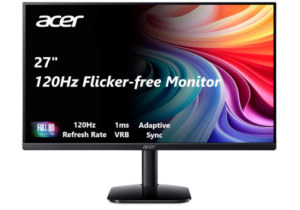
The Acer KB272 27 Inch Full HD Monitor is designed for users who want smooth performance, clear visuals, and reliable everyday usability in a 27 inch display. It works well for gaming, office tasks, and media consumption, offering a balanced experience without unnecessary complexity.
The monitor features a Full HD 1920 x 1080 IPS panel that delivers sharp and detailed visuals for everyday use. In addition, the frameless design improves immersion by reducing distractions around the screen. The 27 inch size provides enough space for multitasking, making it practical for both work and entertainment setups.
Performance is strong with up to 120Hz refresh rate and 1ms VRB response time. As a result, motion feels smooth and responsive, especially during fast paced gaming or video playback. Adaptive Sync support also helps match the display refresh rate with the graphics card, which reduces screen tearing and stuttering for more stable visuals.
Color and contrast performance are also solid, supported by IPS technology and a high contrast ratio. This helps produce vivid images with good detail from different viewing angles. In addition, Acer Eye Protect technology helps reduce strain during long usage sessions, making it more comfortable for extended work or study.
Connectivity is simple and practical, with HDMI support and included cables for quick setup. The monitor also features a thin bezel design that supports multi monitor setups and a clean desk appearance. Its slim enclosure adds to its modern look while still maintaining stable everyday performance.
Pros
- 120Hz refresh rate delivers smooth motion for gaming and video
- 1ms response time reduces blur in fast moving scenes
- IPS panel provides consistent colors from wide viewing angles
- Adaptive Sync reduces screen tearing and stuttering
- Frameless design improves immersion and multi monitor setups
- Eye Protect technology helps reduce eye strain
Cons
- Brightness is moderate compared to higher end displays
You can also check out: 8 Best Budget Thermal Scopes