
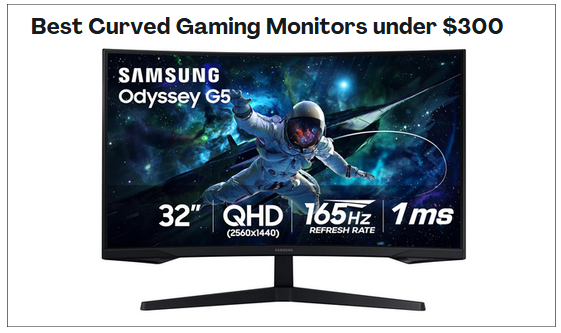
If you are searching for the best Curved Gaming Monitors under $300, I am here to tell you that the options available in this price range are genuinely impressive and well worth your attention. I have gone through the top picks in this category and found that you do not have to spend a fortune to enjoy smooth gameplay, rich visuals and that immersive wraparound feel that makes gaming so much more engaging.
These monitors offer compelling features like high refresh rates, fast response times, adaptive sync technology and strong color performance that together elevate your gaming experience significantly. Whether you are a competitive player who needs buttery smooth motion or someone who wants a cinematic setup for open world adventures, there is something here for every type of gamer.
In this guide, I will walk you through the standout features to look for, share my top monitor picks across different needs and screen sizes, break down a practical buying guide to help you make a confident decision, and answer the most common questions that come up when shopping in this category.
By the end, you will have everything you need to find the perfect curved gaming monitor that fits your setup and your budget.
See Summary of the Best Curved Gaming Monitors under $300:
- Gawfolk 34 Inch Curved Gaming Computer Monitor – Best Ultrawide for Immersive Gaming
- KTC 27 Inch 240Hz Curved Gaming Monitor – Best for Speed and Sharp Image Quality
- Pixio PXC279 Wave Pink 27 Inch Gaming Monitor – Best for Competitive Gaming Performance
- ASUS TUF Gaming Series 5 32 Inch Curved Monitor – Best for Responsiveness and Competitive Features
- CRUA 32 Inch 4K Curved Gaming Monitor – Best for High Resolution Visual Clarity
- SANSUI 34 Inch Ultrawide Curved Gaming Monitor – Best Ultrawide for Fast Paced Gaming
- KOORUI 34 Inch Curved Gaming Monitor – Best for Ultrawide Productivity and Gaming Balance
- SAMSUNG 32 Inch Odyssey G55C Series Monitor – Best Overall Curved Gaming Monitor
Best Curved Gaming Monitors under $300
1) Gawfolk 34 Inch Curved Gaming Computer Monitor
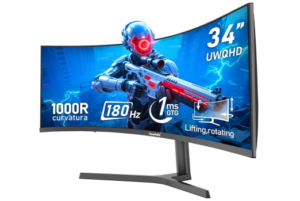
The Gawfolk 34 Inch Ultrawide Curved 180Hz Gaming Computer Monitor earns a place among the best Curved Gaming Monitors under $300 for its wide screen and strong gaming value. The 34 inch ultrawide display creates a broader view that can make games feel more immersive. The 21:9 aspect ratio also gives players more screen space, which can help in racing, strategy, and open world titles. The 1000R curve adds to that effect by bringing more of the display into view.
Image quality is another strength. This monitor offers 100% sRGB coverage, 16.7 million colors, and a 4000:1 dynamic contrast ratio. Colors look rich and detailed, while darker scenes show better depth. The 350 nits brightness helps keep visuals clear in everyday use. The extra screen width can also support multitasking, which adds value beyond gaming.
Gaming performance is where this monitor stands out. The 180Hz refresh rate helps motion look smooth and responsive. Fast scenes show less blur, which can improve control in competitive games. Adaptive Sync also helps reduce tearing and visual disruptions. Users should note that DisplayPort is needed for the full 180Hz. Even so, the performance is impressive for a budget option.
Comfort features add more appeal. The adjustable stand supports height and tilt changes, making it easier to find a better viewing position. That flexibility is useful for long sessions. Low blue light mode and flicker free technology also help reduce eye strain. For buyers looking at the best Curved Gaming Monitors under $300, this model combines immersion, speed, and comfort at a competitive price.
Pros
- Large ultrawide display for immersive gaming
- 180Hz refresh rate supports smooth gameplay
- Strong contrast and solid color quality
- Adaptive Sync helps reduce tearing
- Adjustable stand improves comfort
- Eye care features support long sessions
Cons
- Brightness may feel limited in very bright rooms
2) KTC 27 Inch 240Hz Curved Gaming Monitor
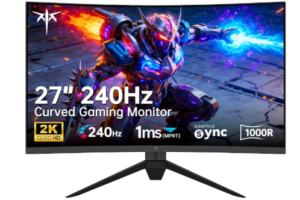
The KTC 27 Inch 240Hz Curved Gaming Monitor appeals to gamers who want speed and sharp image quality in one package. Its 27 inch QHD display delivers 2560×1440 resolution, which gives games better detail than many budget Full HD options. Images look crisp, text appears cleaner, and the added clarity can make both gaming and everyday use more enjoyable.
Gaming performance is where this monitor makes a strong impression. The 240Hz refresh rate supports very smooth motion, which can benefit fast paced shooters and competitive titles. Motion looks cleaner, response feels quicker, and Adaptive Sync helps reduce tearing during gameplay. For buyers focused on speed, this level of performance is impressive in this price range. HDR support also helps add more depth and vibrancy to supported content.
The 1000R curve adds another layer of immersion. Its tighter curvature brings more of the screen into view and can help reduce distortion across the display. Combined with the QHD resolution and 124% high color gamut, the monitor produces rich visuals with strong color coverage. The pre set sRGB calibration is also useful for users who value better color accuracy for creative tasks as well as gaming.
Comfort and connectivity help round out the experience. The anti blue light screen supports longer sessions with less eye strain, which is valuable for both work and gaming. With dual HDMI 2.0 ports, dual DisplayPort 1.4 connections, and USB support, the monitor also offers solid flexibility for multi device setups. For shoppers exploring the best Curved Gaming Monitors under $300, this model offers an appealing mix of high refresh performance, sharp visuals, and strong connectivity.
Pros
- 240Hz refresh rate supports ultra smooth gameplay
- QHD resolution delivers sharp and detailed visuals
- Strong color performance with wide gamut coverage
- Adaptive Sync helps reduce screen tearing
- Good port selection for flexible connectivity
- Eye care features support long sessions
Cons
- Premium features may require setup adjustments for best results
3) Pixio PXC279 Wave Pink 27 inch Gaming Monitor
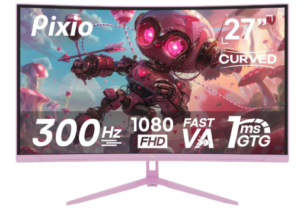
The Pixio PXC279 Wave Pink 27 inch Gaming Monitor brings together strong gaming performance and a design that feels different from standard budget monitors. Its 27 inch display with a 1650R curve creates a more engaging field of view, which can make gameplay feel more immersive. In addition, the curved screen helps pull more of the action into focus, which suits both competitive and cinematic games.
Speed is a major strength here. The 300Hz refresh rate delivers a level of motion clarity that is rare in this price category, especially when connected through DisplayPort. As a result, fast paced gameplay feels fluid, tracking can feel more precise, and the 1ms GTG response time helps reduce ghosting and motion blur. In the same way, the Fast VA panel contributes solid contrast, which helps darker scenes show better depth and detail.
For buyers exploring the best Curved Gaming Monitors under $300, this model makes a strong case through sheer performance. The Full HD resolution helps many gaming systems push higher frame rates, which pairs well with the 300Hz refresh rate. Beyond that, HDR support adds more range in color and brightness, while the Fast VA panel helps maintain rich visuals. For competitive players who value speed first, this monitor offers serious appeal.
Beyond gaming speed, the monitor adds value through practical extras. For example, the included DisplayPort cable supports high refresh performance out of the box, and the VESA plate adapter adds flexibility for alternate setups. Likewise, its pink finish gives it visual personality for users who want a setup that feels more customized. For shoppers balancing performance, style, and value, this monitor offers a compelling option in the budget curved gaming category.
Pros
- 300Hz refresh rate supports elite motion smoothness
- 1ms response time helps reduce blur and ghosting
- 1650R curve improves immersion
- Fast VA panel delivers strong contrast
- Full HD resolution supports high frame rates
- Unique pink design adds setup personality
- DisplayPort cable included in the box
Cons
- Full 300Hz performance requires DisplayPort
4) ASUS TUF Gaming Series 5 32” Curved Monitor
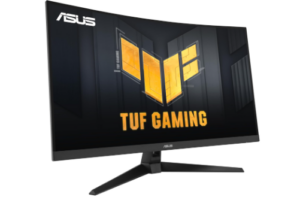
The ASUS TUF Gaming Series 5 32” Curved Gaming Monitor VG32VQM5AZ is built for gamers who want a large curved display with very fast performance and strong gaming tools. The 31.5 inch Full HD panel uses a 1500R curve that gently wraps the screen into your field of view, which can make gameplay feel more engaging and less flat. The larger size also gives games more presence on the desk, especially for racing, shooters, and open world titles.
Performance is where this monitor shows its competitive focus. The overclocked 240Hz refresh rate delivers very smooth motion, especially in fast paced gameplay. In addition, the 0.5ms GTG response time helps reduce blur and keeps rapid movement clear and sharp. ASUS ELMB SYNC works alongside adaptive sync to reduce ghosting and tearing, which helps maintain stable visuals even when frame rates change quickly.
When viewed in the context of a curved gaming monitor under 300 dollars, this model stands out for how much emphasis it places on responsiveness and competitive features. AMD FreeSync Premium helps maintain tear free gameplay by enabling variable refresh rates through HDMI and DisplayPort. At the same time, Shadow Boost improves visibility in darker areas without washing out brighter parts of the image, which can make a difference in fast games where spotting detail matters. HDR support also adds more contrast and color depth for compatible content.
Comfort and flexibility are also well considered. The monitor includes tilt and swivel adjustments, making it easier to find a comfortable viewing angle during long sessions. It is also VESA compatible, which allows for wall or arm mounting setups. On top of that, DisplayWidget Center allows quick on screen adjustments using a mouse, which makes fine tuning settings more convenient. Connectivity is also practical, with dual HDMI 2.0 ports and DisplayPort support for multiple devices.
Pros
- Large 31.5 inch curved display enhances immersion
- 240Hz refresh rate supports very smooth gameplay
- 0.5ms response time reduces motion blur
- ELMB SYNC helps reduce ghosting and tearing
- FreeSync Premium ensures stable frame synchronization
- Shadow Boost improves visibility in dark scenes
- Flexible ergonomic adjustments and VESA support
Cons
- HDR performance is limited compared to higher tier displays
5) CRUA 32 Inch 4K Curved Gaming Monitor
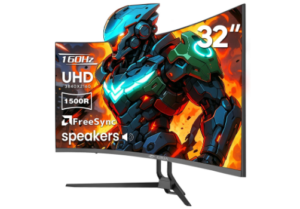
The CRUA 32 Inch Curved Gaming Monitor 4K is designed for users who want a mix of high resolution detail and curved immersion in a large screen format. Its 32 inch 4K UHD display delivers 3840×2160 resolution, which produces sharp visuals and fine detail across games, movies, and productivity tasks. The 1500R curve helps wrap the display into your field of view, making the screen feel more engaging during long gaming or viewing sessions.
Visual performance is one of its strongest qualities. With 120% sRGB color coverage, 320cd/m² brightness, and a 3000 to 1 contrast ratio, it produces rich colors and strong depth across different content types. Images feel more vivid, and darker scenes show better separation. This makes it suitable not only for gaming but also for content creation, editing, and streaming where color accuracy matters.
Gaming performance is supported by a refresh rate of up to 160Hz combined with AMD FreeSync technology. This helps reduce screen tearing and improves motion smoothness during fast gameplay. Action scenes feel more stable, and input lag is reduced for a more responsive experience. While it does not reach the extreme refresh rates of esports focused monitors, it balances high resolution with solid gaming performance, which is ideal for players who want visual clarity and smooth gameplay together.
Practical features also add to its appeal. HDMI 2.1 and DisplayPort 1.4 connections ensure compatibility with modern PCs and consoles, while built in speakers help reduce desk clutter. The monitor is also wall mount ready, which supports cleaner setups for gaming rooms or workstations. Overall, it offers a strong balance of resolution, color performance, and curved immersion for users seeking a versatile large display.
Pros
- 4K resolution delivers sharp and detailed visuals
- Strong color accuracy with 120% sRGB coverage
- 160Hz refresh rate supports smooth gameplay
- AMD FreeSync reduces tearing and stutter
- HDMI 2.1 and DisplayPort 1.4 support modern devices
- Built in speakers reduce desktop clutter
- Suitable for gaming, editing and entertainment
Cons
- 4K performance may require powerful hardware
6) SANSUI 34 Inch Ultrawide Curved Gaming Monitor
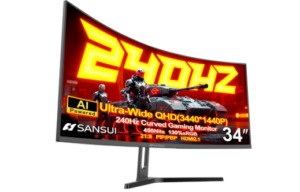
The SANSUI 34 Inch 240Hz Ultrawide Curved Gaming Monitor is built for gamers who want a wide field of view combined with high speed performance. Its 34 inch ultrawide display with a 21:9 aspect ratio creates a cinematic gaming experience that feels more expansive than standard screens. The 1500R curvature helps bring the edges of the screen closer into view, which can improve immersion during fast action and open world gameplay.
Visual quality is a strong part of this monitor. With a UWQHD resolution of 3440 by 1440, it delivers a good balance between sharp detail and performance demands. The Fast VA panel adds depth through strong contrast, while HDR400 support enhances brightness and color range in compatible content. In addition, 130% sRGB and 97% DCI P3 coverage help produce rich and vibrant colors that work well for both gaming and creative use.
Performance is clearly aimed at competitive and fast paced gaming. The 240Hz refresh rate paired with a 1ms response time helps keep motion smooth and responsive. As a result, fast movements appear clearer, and input feels more immediate during gameplay. FreeSync support helps reduce screen tearing, while AI based features such as AI Crosshair and AI Bluelight add practical support for accuracy and eye comfort during long sessions.
Usability and connectivity also make this monitor flexible for different setups. HDMI 2.1 and DisplayPort 1.4 ports support high refresh performance, while PIP and PBP modes help with multitasking. The ergonomic stand allows tilt adjustments, and VESA compatibility gives more mounting options. Although it does not include built in speakers, it focuses instead on display performance and gaming tools that support serious gameplay and productivity.
For buyers searching for the best Curved Gaming Monitors under $300, this model stands out as a strong ultrawide option that combines high refresh speed, wide resolution, and immersive curved design in one package.
Pros
- Ultrawide 3440 by 1440 resolution enhances immersion
- 240Hz refresh rate supports very smooth gameplay
- Strong color coverage with sRGB and DCI P3 support
- HDR400 improves brightness and contrast
- FreeSync helps reduce screen tearing
- Useful gaming features like AI Crosshair and Sniper Scope
- Flexible connectivity with HDMI 2.1 and DisplayPort
Cons
- No built in speakers included
7) KOORUI 34-inch Curved Gaming Monitor
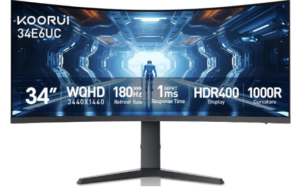
The KOORUI 34-inch Curved Ultrawide WQHD Gaming Monitor 34E6UC is designed for users who want a wide, immersive display that balances gaming performance with productivity value. Its 34 inch ultrawide WQHD resolution of 3440 by 1440 delivers a broad viewing space that makes games feel more cinematic and work tasks more spacious. The 1000R curvature brings the screen closer to your natural field of vision, which can make long sessions feel more engaging and less flat.
Visual quality is a strong part of this monitor. With 95% DCI P3 coverage, 125% sRGB, 400 nits brightness, and HDR400 support, it produces vivid colors and solid contrast across different types of content. The 4000 to 1 contrast ratio helps darker scenes appear more detailed, while the 16.7 million color output supports smooth gradients and rich visuals. This makes it suitable not only for gaming but also for media consumption and creative work.
Gaming performance is handled with flexibility depending on your setup. The DisplayPort connection supports up to 180Hz refresh rate, while HDMI 2.0 supports up to 120Hz. As a result, gameplay feels smooth and responsive, especially when paired with FreeSync or G Sync support. The 1ms MPRT response time helps reduce motion blur, and built in gaming tools like FPS mode, RTS mode, crosshair, and timer functions help improve in game awareness and control.
Usability and design also add value. The eagle wing inspired stand offers tilt, swivel, and height adjustment, which helps users find a comfortable viewing position. VESA compatibility allows for wall or arm mounting, saving desk space if needed. PIP and PBP modes improve multitasking by allowing multiple inputs on screen at once. Additionally, the black equalizer feature improves visibility in dark scenes, which can help reveal details in shadow heavy environments.
For users looking for the best Curved Gaming Monitors under $300, this model offers a strong mix of ultrawide immersion, color performance, and gaming focused features at a competitive value level.
Pros
- Ultrawide 3440 by 1440 resolution enhances immersion
- 1000R curve improves viewing comfort and engagement
- Strong color coverage with DCI P3 and sRGB support
- FreeSync and G Sync support improve smoothness
- Adjustable ergonomic stand with height and swivel support
- Useful gaming tools like crosshair and black equalizer
Cons
- Large ultrawide size requires significant desk space
8) SAMSUNG 32″ Odyssey G55C Series Monitor
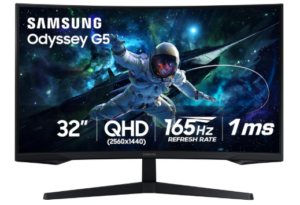
The Samsung Odyssey G55C 32 inch QHD Curved Gaming Monitor stands out as one of the best Curved Gaming Monitors under $300 for gamers who want sharp visuals, fast response performance, and deep immersion in a larger screen format. Its 32 inch QHD display delivers 1.7 times the pixel density of Full HD, which means images appear noticeably sharper and more detailed. This added clarity helps games feel more lifelike, especially in environments where fine textures and distant details matter.
Visual immersion is a key strength of this monitor. The 1000R curvature wraps the display closer to your natural field of view, which helps create a more engaging experience during gameplay. Combined with HDR10 support, scenes appear more dynamic with brighter highlights and deeper blacks. This makes both dark and bright environments more distinct, helping you notice details that might otherwise be missed.
Performance is built for responsive gaming. The 165Hz refresh rate allows smoother motion during fast action, while the 1ms response time helps reduce blur and keep movement sharp. As a result, fast paced gameplay feels more controlled and fluid. AMD FreeSync also helps keep the monitor and graphics card synchronized, reducing screen tearing and stuttering for a more stable visual experience.
Comfort and long session usability are also well considered. Eye Saver Mode reduces blue light exposure, which can help reduce eye strain during extended gaming or work sessions. The monitor also minimizes screen flicker, which adds another layer of visual comfort. Together, these features support longer playtime without as much fatigue.
Overall, this monitor delivers a strong balance of resolution, curvature, and gaming performance. It suits players who want sharper visuals than Full HD while still maintaining smooth gameplay and immersive design.
Pros
- QHD resolution delivers sharp and detailed visuals
- 1000R curve enhances immersion
- 165Hz refresh rate supports smooth gameplay
- 1ms response time reduces motion blur
- HDR10 improves contrast and color depth
- FreeSync reduces tearing and stutter
- Eye Saver Mode supports long gaming sessions
Cons
- No built in speakers included
Check out: 7 Best Thermal Scopes under 2000