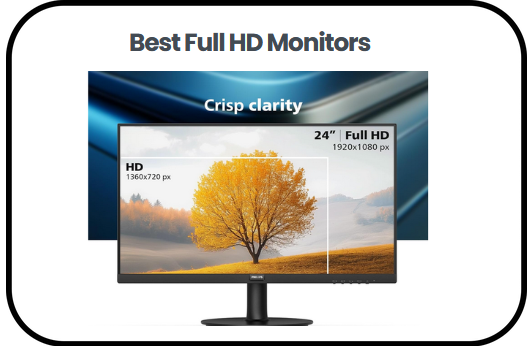
The best Full HD Monitors are often the first choice when I want a display that feels reliable, clear and easy to live with every day. They strike a balance that works for almost everything, from work tasks and studying to streaming and light gaming, without overwhelming you with complexity or demanding high system power. What makes them especially appealing is how they deliver sharp visuals, smooth performance, and eye comfort features in a way that feels practical and accessible.
In this guide, I will take you through everything that matters before choosing one, starting with the key features that define a good display. I will also highlight some of the top picks worth considering, break down a simple buying guide to help you make the right decision and finish with clear answers to common questions. The goal is to make your choice easier, more confident and well informed from start to finish.
Summary of the Best Full HD Monitors:
- Dell 27 Monitor (SE2725HM) — Best overall
- Acer KB272 27 Inch Monitor — Best performance value option
- LG 24U411A-B 24 Inch Monitor — Best productivity and color balance
- Dell P2725H 27 Inch Monitor — Best ergonomic office monitor
- Alienware 25 Gaming Monitor — Best premium gaming monitor
- Sceptre 22 Inch Gaming Monitor — Best budget compact gaming option
- Philips 24 Inch Frameless Full HD Monitor — Best contrast and immersive viewing
- Philips 221V8LB 22 Inch Monitor — Best entry level everyday monitor
Best Full HD Monitors
1) Dell 27 Monitor (SE2725HM)
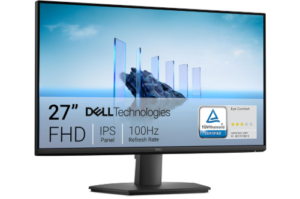
The Dell 27 Monitor earns its place among the best Full HD Monitors by offering a clean and comfortable viewing experience that fits easily into everyday use. The 27 inch screen gives you more room to work, making tasks feel less cramped and easier to manage. Whether you are handling documents, browsing, or watching content, the display stays clear and balanced.
One thing you notice quickly is the 100Hz refresh rate. Scrolling feels smoother, and switching between tasks looks more fluid. This creates a more relaxed experience, especially during long hours of use. While it is not built for serious gaming, it still handles motion better than many standard office monitors.
Comfort also plays a big role here. The built in ComfortView Plus reduces blue light without affecting how colors appear. As a result, the screen avoids the yellow tint that often comes with low blue light settings. This makes it easier to stay focused for longer periods without feeling strained. At the same time, the IPS panel keeps colors consistent, even when viewed from different angles.
The design keeps things simple but practical. The compact stand helps save space, and the built in power supply removes extra clutter from your desk. There is also a cable holder that keeps everything neat without much effort. You can tilt the screen to adjust your viewing angle, and VESA support gives you more setup options if needed.
In addition, the thin bezels give the monitor a modern look while making the screen feel more immersive. Connectivity is also straightforward, with HDMI and VGA ports that work with both newer and older devices. This makes it easy to set up without worrying about compatibility.
Dell also takes a more thoughtful approach with sustainability. The monitor uses recycled materials and comes in packaging made from renewable content. It meets ENERGY STAR standards, which helps reduce power consumption over time. These details may not stand out immediately, but they add to the overall value.
Pros
- Smooth 100Hz refresh rate improves everyday use
- Comfortable viewing with reduced blue light and accurate colors
- Wide viewing angles with consistent image quality
- Clean design with thin bezels and space saving build
- Easy connectivity with HDMI and VGA support
- Environmentally conscious materials and packaging
Cons
- Limited ergonomic adjustments beyond tilt
- Not ideal for demanding gaming needs
2) Acer KB272 27 Inch Monitor
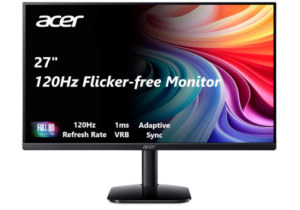
The Acer KB272 27 inch monitor offers a balanced mix of smooth performance and everyday usability. The 27 inch display gives you enough space to work comfortably, while the Full HD resolution keeps images clear and detailed. Whether you are browsing, watching content, or handling light creative tasks, the screen feels reliable and easy to use.
Motion is where this monitor starts to stand out more. With a refresh rate that can go up to 120Hz, interactions feel smoother and more responsive. This becomes even more noticeable during fast scenes, where transitions appear cleaner and more controlled. Adaptive Sync support also helps reduce screen tearing, making both video playback and casual gaming feel more consistent.
The fast 1ms response time adds another layer of smoothness. You notice it when scrolling quickly or switching between tasks, as everything feels more immediate. Fast moving visuals stay sharp without leaving distracting trails behind. Even with this level of responsiveness, the monitor still maintains a steady experience that works well for daily use.
Visual quality remains consistent thanks to the IPS panel. Colors look accurate, and the wide viewing angles make it easy to see the screen clearly from different positions. The frameless design also gives it a more modern feel, allowing the display to look more open and less restricted. When watching videos or viewing images, the contrast helps bring out better depth.
Comfort is also considered in the overall experience. Eye protection features help reduce strain, especially during longer sessions. This makes it easier to stay focused without feeling overwhelmed by brightness. With simple connectivity through HDMI and a straightforward setup, getting started does not take much effort.
As one of the best Full HD Monitors, it manages to deliver a smooth and comfortable experience without overcomplicating things. It fits well into both work and casual setups, offering just enough performance to feel like an upgrade without going beyond what most users need.
Pros
- Smooth performance with up to 120Hz refresh rate
- Fast 1ms response time reduces motion blur
- Adaptive Sync support helps prevent screen tearing
- Clear visuals with IPS panel and wide viewing angles
- Modern frameless design improves viewing experience
Cons
- Not ideal for advanced professional color work
3) LG 24U411A-B 24 Inch Full HD Computer Monitor
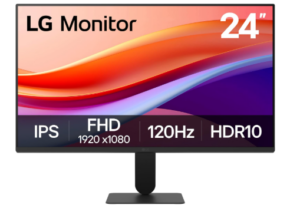
The LG 24U411A-B delivers a clean and reliable viewing experience that works well for both work and casual use. The 24 inch display feels practical on most desks, offering enough space to multitask without feeling bulky. With Full HD resolution and an IPS panel, the image stays sharp and consistent even when viewed from different angles.
One of the first things you notice is how smooth everyday movement feels. The 120Hz refresh rate makes scrolling, switching between windows, and navigating content feel more fluid. It reduces the slight stutter that often comes with standard monitors, which makes long hours of use feel more comfortable.
Color performance is also well balanced. HDR10 support and strong sRGB coverage help produce richer tones that still look natural. Whether you are watching videos or handling light creative work, the display keeps visuals clear and easy on the eyes. The consistency across different tasks adds to its overall appeal.
The design is kept simple and modern. Slim bezels on three sides create a more open viewing area, which works especially well in multi monitor setups. The stand adds a light floating effect that keeps the desk looking less cluttered. Adjusting the tilt is easy, allowing you to settle into a comfortable position without effort.
Usability features add more flexibility to the experience. The Switch app helps you organize your screen into multiple layouts, making multitasking more efficient. Dynamic Action Sync improves responsiveness, while Black Stabilizer helps bring out detail in darker scenes. Reader Mode also helps reduce eye strain during long sessions, especially when working with text heavy content.
Overall, this monitor offers a steady and practical experience that fits well into everyday setups. It does not try to overwhelm with extra complexity, yet it performs reliably in the areas that matter most. That balance is what places it firmly among the best Full HD Monitors.
Pros
- Smooth 120Hz refresh rate improves everyday use
- Crisp visuals with IPS panel and Full HD clarity
- Strong color performance with HDR10 and sRGB coverage
- Clean slim bezel design suitable for multi monitor setups
- Useful multitasking and gaming support features
Cons
- HDR effect is modest compared to premium displays
4) Dell P2725H 27 Inch Full HD IPS Monitor
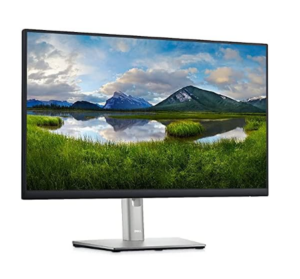
The Dell P2725H presents itself as a practical and well balanced display that suits both work and general everyday use. The 27 inch screen gives you a spacious viewing area, making it easier to manage multiple windows without feeling cramped. With Full HD resolution and IPS technology, visuals remain clear and consistent, while colors stay stable even when viewed from different angles.
The display performance is designed with comfort in mind. A 100Hz refresh rate helps create smoother movement compared to standard office monitors, making scrolling and transitions feel more fluid. Combined with a fast response time of 5ms, the screen handles everyday tasks with a steady and controlled feel. The anti glare coating also helps reduce reflections, which makes it easier to focus in bright environments.
Eye comfort is clearly a priority in this model. ComfortView Plus technology works continuously to reduce blue light exposure while maintaining natural color accuracy. This helps reduce strain during long working hours without giving the screen an artificial tint. Flicker free technology adds another layer of comfort, making extended use feel less tiring on the eyes.
When looking at everyday usability, the Dell P2725H stands comfortably among the best Full HD Monitors for productivity focused users. The wide 178 degree viewing angles ensure consistent image quality no matter your position, while the 300 nits brightness keeps visuals clear in different lighting conditions. Color output remains rich and stable, supported by strong sRGB coverage that makes text and visuals appear well defined.
The design is built for flexibility and organization. Ultra thin bezels give it a clean and modern look, especially useful in multi monitor setups. The stand supports height adjustment, tilt, swivel, and pivot, allowing you to easily adapt the screen to your preferred working position. Connectivity is also versatile, with HDMI, DisplayPort, VGA, and a built in USB hub that helps reduce desk clutter by centralizing connections.
Beyond performance and design, the monitor also reflects a more responsible approach to manufacturing. It is built using recycled materials and includes energy saving features like PowerNap mode. With certifications such as ENERGY STAR 8.0 and EPEAT Climate+, it shows a clear effort toward reducing environmental impact while maintaining reliable performance.
Pros
- Smooth 100Hz refresh rate improves daily use experience
- Fully adjustable stand with height, swivel, pivot, and tilt
- Strong eye comfort features with ComfortView Plus and flicker free tech
- Wide connectivity including HDMI, DisplayPort, VGA, and USB hub
- Clean design with ultra thin bezels suitable for multi screen setups
- Good color consistency with IPS panel and wide viewing angles
Cons
- Built in speakers are not included
5) Alienware 25 Gaming Monitor
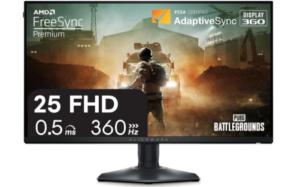
The Alienware 25 Gaming Monitor stands firmly among the best Full HD Monitors for competitive players who value speed, precision, and visual clarity. The 24.5 inch display is built for esports level performance, offering a focused screen size that keeps every detail within quick view. With its Full HD resolution, Fast IPS panel, and 99 percent sRGB coverage, the visuals stay sharp and consistent even during fast gameplay moments.
Performance is where this monitor immediately makes an impression. The 360Hz variable refresh rate creates an exceptionally smooth experience, allowing motion to feel almost instant on screen. Combined with an ultra fast 0.5ms gray to gray response time, fast moving objects remain clear without noticeable blur. This level of responsiveness helps reduce delays between what you see and how quickly you react, which is critical in competitive gaming.
To support this speed, the monitor includes AMD FreeSync Premium Technology and VESA AdaptiveSync certification. These features work together to eliminate screen tearing and stuttering, keeping gameplay stable even during intense action. The result is a more controlled visual experience where motion stays consistent and predictable, which is especially important in fast paced esports titles.
Visual quality is not sacrificed for speed. The Fast IPS panel ensures accurate and vivid color reproduction, while HDR support adds more depth to supported content. Wide viewing angles help maintain image consistency even when your position changes slightly, keeping the display reliable during long gaming sessions or shared viewing. This balance between speed and clarity is part of what makes it stand out among the best Full HD Monitors for gaming focused users.
The design also reflects its esports purpose. The hexagonal base reduces desk footprint, giving more space for mouse movement and keyboard positioning. This becomes especially useful in competitive setups where every bit of space matters. A retractable headset hanger is also built in, helping keep the desk clean and organized when the headset is not in use.
Connectivity is equally practical, with HDMI, DisplayPort, and multiple USB ports that support a flexible setup. This makes it easy to connect gaming systems and accessories without hassle. The overall build feels purposeful, designed to support performance driven use while maintaining a clean and efficient workspace.
Pros
- Extremely fast 360Hz refresh rate for ultra smooth gameplay
- Very low 0.5ms response time reduces motion blur
- FreeSync Premium and AdaptiveSync support eliminate tearing
- Fast IPS panel with accurate and vivid color reproduction
- Space saving hexagonal base designed for esports setups
- Built in headset hanger helps keep desk organized
Cons
- Premium performance focused design comes at a higher cost
6) Sceptre 22 Inch Gaming Monitor
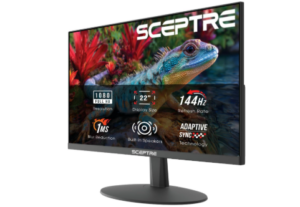
The Sceptre New 22 Inch Gaming Monitor delivers a compact and practical experience that fits well into both gaming and everyday use setups. The 22 inch Full HD display feels sharp enough for its size, offering clear visuals that work well for browsing, casual work, and light gaming. Its minimal bezel design also helps keep the focus on the screen, creating a clean viewing area that feels modern and efficient.
One of the more convenient additions is the built in speakers. They provide simple, ready to use audio without the need for external setups, which helps keep your desk space uncluttered. While they are not meant for high end audio experiences, they handle everyday sound needs like videos, calls, and casual gaming quite comfortably.
Comfort during long use is also well considered. The Blue Light Shift technology helps reduce eye strain by lowering exposure to harmful blue light. This makes extended screen time feel less harsh on the eyes, especially during long work hours or gaming sessions. It is a subtle feature, but one that adds noticeable comfort over time.
The slim bezel design plays a big role in improving the overall viewing experience. It reduces distractions around the edges and makes the display feel more immersive. This also becomes especially useful in multi monitor setups, where the transition between screens feels smoother and less broken. Despite its smaller size, it manages to create a focused and engaging viewing space.
Performance wise, the monitor is designed to handle fast paced visuals smoothly, making it suitable for casual gaming. Motion feels responsive enough for its category, and the display maintains clarity during quick transitions. While it is not built for high end competitive performance, it still delivers a stable and enjoyable experience for everyday users and light gamers.
Overall, this monitor balances simplicity, comfort, and practicality in a way that makes it easy to use right out of the box. It is a straightforward option that focuses on the essentials without unnecessary complexity.
Pros
- Compact size suitable for small setups
- Built in speakers reduce desk clutter
- Blue light reduction improves viewing comfort
- Slim bezel design enhances focus and multi monitor use
- Good for casual gaming and everyday tasks
Cons
- Smaller screen size may not suit all users
7) Philips 24 Inch Frameless Full HD Monitor
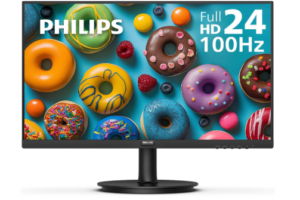
The Philips New 24 inch Frameless Full HD Monitor fits comfortably among the best Full HD Monitors thanks to its focus on clarity, comfort, and everyday productivity. The 23.8 inch Full HD display delivers sharp visuals that feel detailed and easy to follow, whether you are watching videos, working on documents, or browsing. The frameless design also gives the screen a more open and modern feel, making it easier to stay visually engaged.
Image quality is driven by a VA panel that produces strong contrast and deeper blacks. This gives visuals more depth and helps images feel more defined, especially in darker scenes. With 16.7 million colors, the display maintains smooth gradients and a natural look across different types of content. The result is a viewing experience that feels balanced and consistent.
Viewing angles are another strong point. The 178 degree wide angle support ensures that colors remain stable even when you are not sitting directly in front of the screen. This makes it easier to share content or adjust your seating position without losing image quality. It adds flexibility to both personal and work environments.
Performance also feels responsive in everyday use. The 100Hz refresh rate helps create smoother motion when scrolling, switching between tasks, or watching videos. With Adaptive Sync support, visuals stay stable with reduced stutter, making movement feel more controlled and fluid. This combination helps the monitor handle both work and light entertainment comfortably.
Comfort has clearly been considered in the design. LowBlue Mode and flicker free technology help reduce eye strain during long sessions, making it easier to stay focused for extended periods. The EasyRead mode also improves document viewing by giving a more paper like feel, which is especially helpful for reading or office work.
The slim three sided bezel design improves immersion while also supporting multi monitor setups. It allows screens to sit closely together, creating a wider and more seamless workspace. Combined with its simple setup and included HDMI connectivity, it is easy to integrate into most environments without complications.
Pros
- Sharp Full HD visuals with good clarity
- Strong contrast with VA panel for deeper blacks
- Wide 178 degree viewing angles
- Smooth 100Hz refresh rate with Adaptive Sync support
- Eye comfort features including LowBlue Mode and flicker free tech
- Slim bezel design ideal for multi monitor setups
Cons
- Not designed for high end gaming performance
8) Philips 221V8LB 22 Inch Full HD Monitor
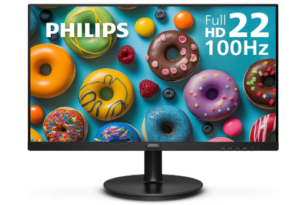
The Philips 221V8LB delivers a compact and reliable viewing experience that works well for both everyday tasks and light entertainment. The 22 inch class Full HD display produces clear and detailed visuals, making it easy to read text, watch videos, or handle basic work tasks without strain. Its slim design also keeps the setup simple and space friendly, especially for smaller desks.
Image quality feels well balanced thanks to the VA panel, which enhances contrast by producing deeper blacks and brighter whites. This gives visuals more depth and helps images appear more defined and natural. With support for 16.7 million colors, the screen maintains smooth gradients that look consistent across different types of content.
Motion performance is another strong aspect of this display. The 100Hz refresh rate makes scrolling and video playback feel smoother compared to standard monitors. When combined with Adaptive Sync technology, movement stays stable with reduced stutter, creating a more fluid and comfortable viewing experience during fast transitions.
Viewing comfort is also well considered. The 178 degree wide viewing angles ensure that colors remain consistent even when you are not directly in front of the screen. This makes it easier to share the display or adjust your position without losing clarity or color accuracy, which adds flexibility to both work and casual use.
The monitor also includes eye comfort features that help reduce fatigue during long sessions. LowBlue Mode and flicker free technology work together to minimize strain, making it easier to stay focused over extended periods. This is especially useful for users who spend long hours working on documents or browsing content.
Overall, this display offers a simple but dependable experience that fits well into everyday setups. It focuses on clarity, comfort, and smooth performance without adding unnecessary complexity, making it a practical choice for users who want a straightforward monitor that performs consistently.
Pros
- Clear Full HD resolution with good detail
- Smooth 100Hz refresh rate improves motion
- Adaptive Sync reduces stutter and improves stability
- Strong contrast with VA panel for deeper blacks
- Wide viewing angles with consistent color
- Eye comfort features reduce strain during long use
Cons
- VA response time may feel slower in fast paced scenes
Check out: 8 Best 24 Inch Full HD Monitors
Advantages of Using Full HD Monitors
Clear and Detailed Visual Experience
One of the biggest advantages is the sharp and detailed image quality that makes everyday use more enjoyable. Text appears crisp, videos look well defined, and general visuals feel easy to follow without strain. This level of clarity helps improve focus during work and makes entertainment more engaging without needing advanced display settings.
Balanced Performance for Everyday Use
These monitors handle daily tasks smoothly, whether you are browsing, working on documents, or streaming content. Motion feels steady, especially with higher refresh rate options found in many models. This balance of performance ensures the display does not feel slow or limiting during regular use.
Reduced Eye Strain for Longer Sessions
Many users spend long hours in front of a screen, and these monitors are designed with comfort in mind. Features like blue light reduction and flicker free technology help reduce eye fatigue. This makes it easier to stay productive or enjoy content without discomfort building up quickly.
Wide Viewing Angles for Better Flexibility
The display quality remains consistent even when viewed from the side, which is useful in shared spaces or multi monitor setups. Colors and brightness do not shift heavily, allowing the screen to maintain a natural look from different positions. This flexibility improves both work and entertainment experiences.
Efficient Use of Desk Space
Modern designs often include slim bezels and compact stands, which help save space on the desk. This makes setups look cleaner and more organized, especially when using multiple screens. It also creates a more immersive viewing experience by reducing visual distractions around the display.
Reliable Choice for Work and Entertainment
The best Full HD Monitors offer a strong balance between productivity and casual entertainment. They are suitable for office tasks, online meetings, light creative work, and video streaming. This versatility makes them a practical option for users who want one monitor that can handle different needs without complications.
Cost Effective Display Solution
Another advantage is affordability compared to higher resolution or premium displays. Users get solid performance and good visual quality without spending too much. This makes them an accessible option for students, professionals, and everyday users looking for value without sacrificing essential features.
Factors to Consider when Choosing the Best Full HD Monitors
Screen Size and Viewing Comfort
Screen size plays a big role in how comfortable and practical a monitor feels during daily use. A larger display offers more workspace for multitasking, while smaller sizes fit better in compact setups. The right choice depends on how much space you need and how close you sit to the screen, ensuring everything feels balanced and easy on the eyes.
Display Resolution and Image Clarity
Resolution determines how sharp and detailed everything appears on the screen. A proper Full HD display ensures text is clear, images are well defined, and visuals do not look stretched or blurry. This factor is especially important for users who spend long hours reading, working, or viewing content where clarity directly affects comfort.
Refresh Rate and Motion Smoothness
Refresh rate affects how smooth motion appears when scrolling, watching videos, or playing games. Higher refresh rates create a more fluid experience, reducing stutter and making movement feel more natural. This becomes especially noticeable during fast actions or when switching between tasks frequently.
Panel Type and Color Accuracy
Different panel types influence how colors and viewing angles appear. Some panels offer deeper contrast, while others provide more consistent color accuracy from different positions. Choosing the right panel ensures visuals look natural and remain stable whether you are sitting directly in front of the screen or viewing from the side.
Eye Comfort Features
Eye comfort is essential for long term use, especially for people who work or study for extended periods. Features like reduced blue light emission and flicker free technology help minimize strain and fatigue. These adjustments make it easier to stay focused without discomfort building up over time.
Connectivity and Compatibility
A good monitor should support a range of connection options to match different devices. HDMI, DisplayPort, and USB ports help ensure smooth compatibility with laptops, desktops, and other systems. Easy connectivity reduces setup issues and allows users to switch between devices without hassle.
Design and Ergonomics
Design and adjustability affect both comfort and workspace organization. Slim bezels create a more immersive feel and help in multi monitor setups, while adjustable stands allow users to find a comfortable viewing position. A well designed monitor improves posture, reduces clutter, and enhances the overall experience.
Frequently Asked Questions
What is a Full HD monitor and who is it best suited for?
A Full HD monitor refers to a display with a resolution of 1920 by 1080 pixels, offering clear and detailed visuals for everyday use. It is well suited for students, office workers, and general users who need a reliable screen for browsing, document work, streaming, and light creative tasks. It provides a strong balance between clarity and performance without requiring high system demands.
Is a higher refresh rate important in Full HD monitors?
A higher refresh rate improves how smooth motion appears on the screen, especially during scrolling, video playback, or gaming. While 60Hz is standard, higher options like 100Hz or more make movement feel more fluid and reduce visible stutter. This is particularly useful for users who value smoother interaction during daily use or entertainment.
Are Full HD monitors good for gaming?
Full HD monitors can be a good choice for gaming, especially for casual and mid level gamers. They offer fast response times and smooth refresh rates in many models, which help reduce lag and motion blur. While they may not match higher resolution displays in visual depth, they still deliver a responsive and enjoyable gaming experience.
What features improve eye comfort in Full HD monitors?
Eye comfort features are important for reducing strain during long hours of use. Technologies such as blue light reduction, flicker free screens, and reading modes help create a more comfortable viewing experience. These features are especially helpful for users who work long hours or spend extended time in front of a screen.
How do I choose the right Full HD monitor for my needs?
Choosing the right monitor depends on how you plan to use it. Factors like screen size, refresh rate, panel type, connectivity options, and ergonomic adjustability all play a role in overall experience. A good choice is one that matches your daily tasks, whether that is productivity, entertainment, or a mix of both.
Conclusion
In the end, the best Full HD Monitors stand out because they deliver a dependable balance of clarity, performance and comfort without unnecessary complexity. They handle everyday tasks with ease, offering sharp visuals for work, smooth motion for entertainment and thoughtful eye comfort features for long hours of use.
What makes them even more appealing is their versatility, fitting comfortably into different setups whether for productivity, casual gaming, or general home use. With the right mix of design, functionality, and affordability, they remain a practical choice for a wide range of users.