
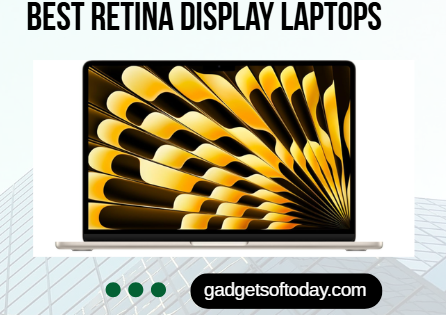
The best Retina display laptops combine exceptional screen clarity with powerful performance and refined design.
With high pixel density that makes text crisp and images richly detailed, these laptops deliver a viewing experience that feels sharp and immersive at normal viewing distances.
Beyond resolution, they often feature strong brightness levels, accurate color reproduction, and smooth system optimization, making them ideal for professionals, students, and creatives who value both visual precision and everyday efficiency.
Here is a quick comparison table summary of the Best Retina Display Laptops:
| Feature | Air 13″ (M4) | Air 15″ (M4) | Pro 14″ (M4 Pro) | Pro 16″ (M4 Max) |
|---|---|---|---|---|
| Display | 13.6″ Liquid Retina | 15.3″ Liquid Retina | 14″ XDR, 1600 nits | 16.2″ XDR, 1600 nits |
| Chip | M4 | M4 | M4 Pro | M4 Max |
| Battery | Up to 18 hrs | Up to 18 hrs | All day | All day |
| Camera | 12MP Center Stage | 12MP Center Stage | Pro system | Pro system |
| Audio | 4 speakers | 6 speakers | High quality | Advanced |
| Ports | 2× TB4, MagSafe | 2× TB4, MagSafe | Multiple pro ports | Multiple pro ports |
| Cooling | Fanless | Fanless | Active | Advanced active |
| Best For | Students, everyday use | Larger screen work | Developers, creatives | 3D artists, heavy production |
What is Retina Display?
Retina Display refers to a high resolution screen designed to make visuals appear crisp and lifelike, reducing visible pixels and improving the overall viewing experience.
Retina Display is Apple’s marketing term for screens with pixel density high enough that the human eye cannot distinguish individual pixels at typical viewing distances.
The concept is based on the idea that once pixel density exceeds a certain threshold,roughly 300 pixels per inch (PPI) for devices held at typical distances,the display appears perfectly smooth and sharp, similar to how printed text looks in high-quality magazines.
Retina Display Key characteristics
- Pixel density varies by device – iPhones typically have around 460 PPI, iPads around 264 PPI, and MacBooks around 220 PPI. The varying densities account for different typical viewing distances.
- Higher resolution – A Retina Display packs more pixels into the same physical space, so images, text, and interface elements appear crisper and smoother.
- Better for reading – Text particularly benefits, appearing more like printed material rather than pixelated letters.
Apple first introduced Retina Display with the iPhone 4 in 2010. While “Retina” is Apple’s branding, other manufacturers achieve similar or higher pixel densities but call them by different names (like Samsung’s “Super AMOLED” or various “4K” displays).
How It Works
A Retina Display increases the number of pixels packed into the screen. Pixel density is measured in pixels per inch. When pixel density is high enough, your eyes cannot distinguish individual pixels from a typical distance. This creates:
• Sharper text
• More detailed images
• Smoother curves and edges
• Improved overall visual clarity
The exact pixel density required to qualify as Retina varies depending on device size and viewing distance. For example, a laptop screen and a smartphone screen will have different pixel density targets.
Retina vs Standard Displays
Compared to standard resolution screens, Retina Displays offer:
• Greater sharpness
• Better clarity for reading
• More accurate detail in photos and videos
• A more premium visual experience
On advanced models like MacBook Pro with Liquid Retina XDR, brightness, contrast ratio, and color accuracy are also enhanced in addition to resolution.
Best Retina Display Laptops
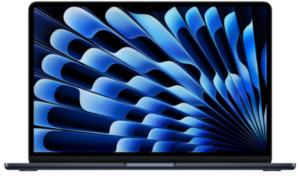
1) Apple MacBook Air 13-inch Laptop with M4 chip
Get it on Amazon
The Apple MacBook Air 13-inch Laptop with M4 chip is the best Retina display laptop. The 13.6 inch Liquid Retina display is a major highlight. With support for 1 billion colors, images appear vibrant and detailed, while text remains crisp and easy to read. Photos and videos benefit from rich contrast and accurate color reproduction, which makes this laptop suitable for creative tasks as well as entertainment.
Performance is driven by the Apple M4 chip, which brings noticeable gains in speed and fluidity. Multitasking across several apps feels seamless, video editing runs smoothly, and even graphically demanding games handle well on this compact machine. macOS is highly optimized for the hardware, so everyday productivity apps such as Microsoft 365 Copilot, Adobe Creative Cloud, and Google Workspace launch quickly and run efficiently.
Battery life reaches up to 18 hours, allowing you to work through the day without constantly searching for a charger. Performance remains consistent whether plugged in or running on battery power, making it dependable for travel or long meetings. The lightweight design further enhances portability, fitting easily into a backpack or tote.
Audio and video quality are equally impressive. A 12MP Center Stage camera keeps you well framed during video calls, while the three microphone array captures clear voice input. The four speaker system with Spatial Audio creates an immersive sound experience that enhances music, movies, and virtual meetings.
Connectivity is versatile, featuring two Thunderbolt 4 ports, a MagSafe charging port, a headphone jack, Wi Fi 6E, and Bluetooth 5.3. Support for up to two external displays adds flexibility for professionals who rely on multi screen setups. The integration with iPhone allows you to mirror your phone, copy and paste across devices, send messages, and answer FaceTime calls directly from your Mac.
Apple Intelligence introduces advanced writing and productivity tools with strong privacy protections. The system is designed to help you express ideas, organize tasks, and complete projects efficiently, while keeping personal data secure.
It combines impressive speed, long battery life, and a refined design that feels effortless to carry from home to office or campus. Whether you are managing demanding workflows or streaming your favorite content, this laptop delivers a smooth and responsive experience.
Pros
- Powerful M4 chip with smooth multitasking and strong graphics performance
- Excellent 13.6 inch Liquid Retina display with vibrant colors
- Long battery life up to 18 hours
- Lightweight and highly portable design
- High quality camera, microphones, and immersive speakers
- Strong ecosystem integration with iPhone and other Apple devices
- Modern connectivity with Thunderbolt 4 and dual external display support
Cons
- Premium price compared to many competitors
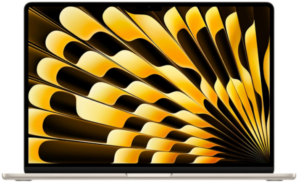
2) Apple MacBook Air 15-inch Laptop with M4 chip
Get it on Amazon
The Apple MacBook Air 15-inch Laptop with M4 chip secures its place among the best Retina display laptops by combining a spacious screen with impressive speed and remarkable portability. Designed for users who want more room to work without sacrificing mobility, this model balances performance and elegance in a slim and lightweight build.
Powered by the Apple M4 chip, the MacBook Air 15 inch delivers fast and fluid performance across demanding tasks. Switching between multiple apps feels smooth, video editing workflows run efficiently, and graphically intensive games perform with confidence. macOS is finely tuned to take advantage of the chip’s capabilities, allowing apps such as Microsoft 365 Copilot, Adobe Creative Cloud, and Google Workspace to run quickly and reliably.
Battery life extends up to 18 hours, making it suitable for full workdays, travel, and long creative sessions. Performance remains consistent whether the laptop is plugged in or running on battery, so you do not experience slowdowns when unplugged. Despite its larger display, the design remains highly portable, fitting easily into bags while offering a more expansive workspace.
The 15.3 inch Liquid Retina display supports 1 billion colors, producing rich contrast and impressive clarity. Text appears sharp and easy to read, while photos and videos show vivid tones and refined detail.
The larger screen size enhances productivity for multitasking, content creation, and entertainment, giving users more room for timelines, documents, and side by side apps.
Audio and video capabilities are equally refined. A 12MP Center Stage camera keeps you properly framed during video calls, supported by three microphones that capture clear voice input. The six speaker system with Spatial Audio creates an immersive listening experience that adds depth to music, films, and meetings.
Connectivity options include two Thunderbolt 4 ports, a MagSafe charging port, a headphone jack, Wi Fi 6E, and Bluetooth 5.3. Support for up to two external displays expands your workspace even further. Integration with iPhone enhances productivity, allowing you to mirror your phone, copy and paste across devices, send messages, and answer FaceTime calls directly from your Mac.
Apple Intelligence adds advanced writing and productivity tools while prioritizing privacy. The system is designed to help users draft content, organize ideas, and complete tasks efficiently, with strong safeguards to keep personal data protected.
Pros
- Powerful M4 chip with smooth multitasking and strong graphics capability
- Large 15.3 inch Liquid Retina display with vibrant colors and sharp detail
- Long battery life up to 18 hours
- Slim and lightweight design for a large screen laptop
- Excellent audio system with six speakers and Spatial Audio
- Strong integration with iPhone and other Apple devices
- Modern connectivity with Thunderbolt 4 and support for dual external displays
Cons
- Maximum benefits are experienced within the Apple ecosystem
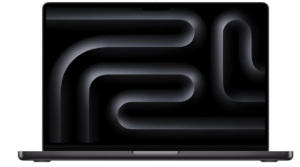
3) Apple MacBook Pro Laptop with M4 Pro
Get it on Amazon
The Apple MacBook Pro with M4 Pro earns recognition as one of the best Retina display laptops for professionals who demand serious performance and exceptional visual quality. Built for advanced workflows and intensive creative tasks, it combines desktop class power with the mobility of a compact notebook.
Equipped with the M4 Pro chip, this MacBook Pro handles demanding projects with impressive speed. Compiling millions of lines of code, managing complex data sets, and editing high resolution video all feel fluid and responsive. For users with even heavier requirements, configurations with M4 Max are designed to manage intricate 3D rendering and advanced production tasks.
The system maintains consistent performance whether running on battery or connected to power, offering dependable output throughout the day.
The 14 inch Liquid Retina XDR display elevates the visual experience to a professional level. With up to 1600 nits of peak brightness, content appears vivid and detailed even in bright environments. Colors are rich and accurate, contrast is deep, and fine details are easy to distinguish. This display is well suited for photographers, video editors, and designers who rely on precise image quality.
Battery life lasts all day, allowing extended productivity without constant charging. Despite its performance capabilities, the laptop remains portable and practical for travel or hybrid work setups. macOS is optimized for Apple silicon, ensuring that applications such as Microsoft 365 and Adobe Creative Cloud run quickly and efficiently.
Apple Intelligence enhances productivity by assisting with writing, organization, and creative expression. The system emphasizes privacy, helping protect personal data while delivering intelligent tools that streamline professional workflows.
Pros
- Exceptional performance with M4 Pro for demanding professional tasks
- Option to configure with M4 Max for advanced creative and 3D workloads
- 14 inch Liquid Retina XDR display with up to 1600 nits peak brightness
- All day battery life with consistent performance on battery power
- Optimized macOS experience with fast app performance
- Advanced privacy focused Apple Intelligence tools
Cons
- Limited port variety compared to some workstation laptops
4) Apple MacBook Pro Laptop with M4 Max
Get it on Amazon
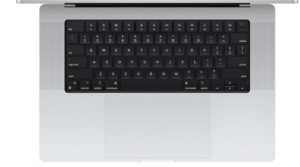
The Apple MacBook Pro with M4 Max stands among the best Retina display laptops for professionals who need uncompromising performance and exceptional visual precision. Designed for demanding creative and technical workloads, this 16 inch powerhouse blends advanced processing capability with a refined and portable form.
Powered by the M4 Max chip, this MacBook Pro is built to manage the most challenging workflows. Rendering intricate 3D content, handling complex visual effects projects, processing massive datasets, and editing high resolution video are completed with remarkable speed and fluidity.
Even intensive multitasking remains smooth, allowing professionals to move between large applications without disruption. macOS is optimized for Apple silicon, ensuring that tools such as Microsoft 365 and Adobe Creative Cloud run quickly and efficiently.
The 16.2 inch Liquid Retina XDR display delivers an extraordinary viewing experience. With up to 1600 nits peak brightness, up to 1000 nits sustained brightness, and a 1,000,000 to 1 contrast ratio, visuals appear vivid and lifelike.
Highlights are bright and detailed, shadows are deep and nuanced, and colors are accurate across a wide range. This level of display quality makes it ideal for photographers, filmmakers, designers, and developers who require precise visual output.
Battery life lasts all day while maintaining consistent performance whether plugged in or running on battery power. Despite its large screen and powerful hardware, the laptop remains practical for mobile professionals who need performance beyond the office.
Apple Intelligence introduces intelligent writing and productivity tools that help streamline tasks and creative processes. Privacy protections are deeply integrated, providing reassurance that sensitive data remains secure.
Seamless integration with iPhone further enhances productivity, allowing you to mirror your device, copy and paste between devices, send messages, and answer FaceTime calls directly from your Mac.
Pros
- Exceptional M4 Max performance for advanced creative and technical workflows
- Large 16.2 inch Liquid Retina XDR display with high brightness and contrast
- All day battery life with stable performance on battery power
- Smooth and fast app performance with Apple silicon optimization
- Powerful integration with iPhone and other Apple devices
- Advanced privacy focused Apple Intelligence tools
Cons
- More performance than necessary for everyday casual tasks
Advantages of Retina Display Laptops
Here are the key advantages of Retina display laptops:
1) Exceptional Sharpness and Clarity
Retina displays feature very high pixel density, which makes individual pixels nearly invisible at a normal viewing distance. This results in extremely sharp text, smooth curves, and clean edges throughout the interface. Reading documents, browsing the web, or reviewing spreadsheets feels easier on the eyes because letters and fine lines appear crisp rather than jagged.
2) More Detailed Images and Videos
High resolution allows photos and videos to display finer textures and subtle details that lower resolution screens may miss. Small elements such as hair strands, fabric textures, and distant objects appear more defined. This improves both creative work and entertainment, offering a richer and more immersive viewing experience.
3) Improved Color Accuracy
Retina display laptops often support wide color gamuts and advanced color calibration. This produces more accurate and consistent colors across different types of content.
Designers, photographers, and video editors benefit from seeing tones and shades that closely match real world results, reducing guesswork during editing.
4) Enhanced Contrast and Brightness
Many Retina class displays also deliver strong contrast ratios and high brightness levels. Deeper blacks and brighter highlights create a more dynamic image. This makes content look vivid and helps maintain visibility even in well lit environments, improving usability in offices, classrooms, and outdoor settings.
5) Better Reading Comfort
Because text rendering is smooth and highly detailed, eye strain can be reduced during long reading sessions. Letters appear solid and well defined, which supports extended work periods involving writing, coding, or research. The overall visual stability of high resolution displays contributes to a more comfortable viewing experience.
6) Greater Workspace Efficiency
Higher resolution screens can display more content within the same physical screen size. Users can fit more windows, toolbars, and panels on screen without sacrificing clarity.
This is particularly useful for multitasking, data analysis, programming, and creative applications where additional on screen space enhances productivity.
Disadvantages of Retina Display Laptops
While Retina displays deliver outstanding clarity and color, they can increase price, hardware demands, and repair costs.
1) Higher Cost
Laptops with Retina displays are generally more expensive than models with standard resolution screens. The advanced panel technology, higher pixel density, and improved brightness and color accuracy increase manufacturing costs, which are reflected in the final price.
2) Increased Power Consumption
Driving a high resolution display requires more graphics processing power. Although modern chips are efficient, higher pixel counts can still contribute to increased energy use, especially during graphics intensive tasks such as video editing or gaming.
3) More Demanding on Hardware
Because the system must render more pixels, the graphics processor and overall hardware work harder. On less powerful machines, this can impact performance when running demanding applications or high resolution external displays.
4) Costly Repairs
If the screen is damaged, replacement costs tend to be higher compared to standard displays. Retina panels are more advanced and often integrated into slim, premium designs, making repairs more expensive.
5) Diminishing Returns for Some Users
Not everyone can easily notice the difference between very high resolutions at typical laptop viewing distances. For casual users who mainly browse the web or watch standard definition content, the visual improvement may not justify the added cost.
Considerations when Choosing the Best Retina Display Laptops
Here are the most important factors to consider when choosing a Retina display laptop:
1) Screen Size and Resolution Balance
Screen size directly affects how sharp a display appears. A high resolution on a smaller screen results in very high pixel density, which improves clarity. On larger screens, the same resolution may look less sharp if pixel density is lower. It is important to consider how resolution and screen size work together to maintain crisp visuals without unnecessary scaling issues.
2) Pixel Density
Retina quality depends on pixels per inch rather than resolution alone. A laptop may have a high resolution, but if the screen is large, the pixel density may not reach true Retina sharpness. Higher pixel density ensures smoother text, cleaner edges, and finer image detail at normal viewing distance.
3) Color Accuracy and Gamut
For creative work such as photo editing, video production, or graphic design, accurate color reproduction is essential. Look for displays that support wide color gamuts and consistent color calibration. Better color accuracy ensures what you see on screen closely matches final output in print or digital media.
4) Brightness and Contrast Ratio
Brightness levels affect how well you can see the screen in different lighting conditions. Higher brightness is helpful in well lit rooms or near windows. Strong contrast ratios produce deeper blacks and brighter highlights, which enhance depth and visual realism in images and videos.
5) Battery Efficiency
High resolution displays require more power to drive additional pixels. While modern processors are efficient, it is still important to check battery performance. A well optimized Retina display laptop should balance visual quality with long battery life for all day productivity.
6) Graphics Performance
Rendering a high resolution display demands capable graphics processing. If you plan to edit videos, work with 3D content, or connect external high resolution monitors, sufficient graphics performance is important to maintain smooth operation without lag.
7) Build Quality and Durability
Retina display laptops are often positioned as premium devices, so overall construction matters. Screen durability, hinge strength, keyboard comfort, and thermal management all contribute to long term usability. A high quality display is most valuable when paired with a solid and reliable design.
What is the difference between Retina display and normal display?
The difference between a Retina display and a normal display mainly comes down to pixel density, sharpness, color quality, and overall visual experience.
Here is a clear comparison:
Pixel Density and Sharpness
A Retina display has a much higher pixel density, meaning more pixels are packed into each inch of the screen. At a normal viewing distance, individual pixels are nearly impossible to see.
A normal display has fewer pixels per inch, so tiny details, edges, and text can appear slightly jagged or less refined.
Result: Retina displays look noticeably sharper and smoother.
Text Clarity
On a Retina display, text appears crisp and clean, with smooth curves and well defined letters. This makes reading documents, emails, and web pages more comfortable.
On a normal display, text may appear softer or slightly pixelated, especially at smaller font sizes.
Result: Retina displays are better for long reading or writing sessions.
Image and Video Detail
Retina displays show finer image details and textures. Photos appear more realistic, and high resolution videos look clearer and more immersive.
Normal displays show less fine detail because they have fewer pixels to represent the same content.
Result: Retina displays provide a more detailed viewing experience.
Color and Contrast
Many Retina displays also support improved color accuracy, higher brightness, and stronger contrast levels. This makes colors appear richer and blacks deeper.
Normal displays may have more limited color range and lower brightness, depending on the panel quality.
Result: Retina displays often look more vibrant and dynamic.
Cost and Hardware Demand
Retina displays typically increase the price of a laptop because of their advanced screen technology. They also require more graphics processing power to drive the higher resolution.
Normal displays are more affordable and may place less demand on hardware.
Result: Normal displays are usually more budget friendly.
A Retina display focuses on extremely high resolution and visual precision, making everything look sharper and more detailed.
A normal display has lower resolution and may not appear as crisp, but it is often more affordable and less demanding on system resources.
Is 4K better than Retina display?
4K and Retina display are not the same thing, so one is not automatically better than the other. 4K refers to a specific resolution, usually 3840 × 2160 pixels, which provides very high detail and is useful for large screens or professional media work.
Retina display refers to pixel density, meaning the screen is sharp enough that individual pixels are not visible at a normal viewing distance.
A 4K screen can exceed Retina level sharpness on smaller displays, but on larger screens it may not reach that threshold. In practice, the better choice depends on screen size, display quality, color accuracy, and how the device is optimized for everyday use.
Conclusion
Choosing Retina display laptops means investing in superior visual quality along with reliable performance and portability. From sharper text and vibrant images to improved multitasking and productivity, these devices enhance both work and entertainment.
We hope this review has been helpful.